
PLAY THE ANIMATION! EpicSeven!
Hello, Heirs. This is GM Dominiel.
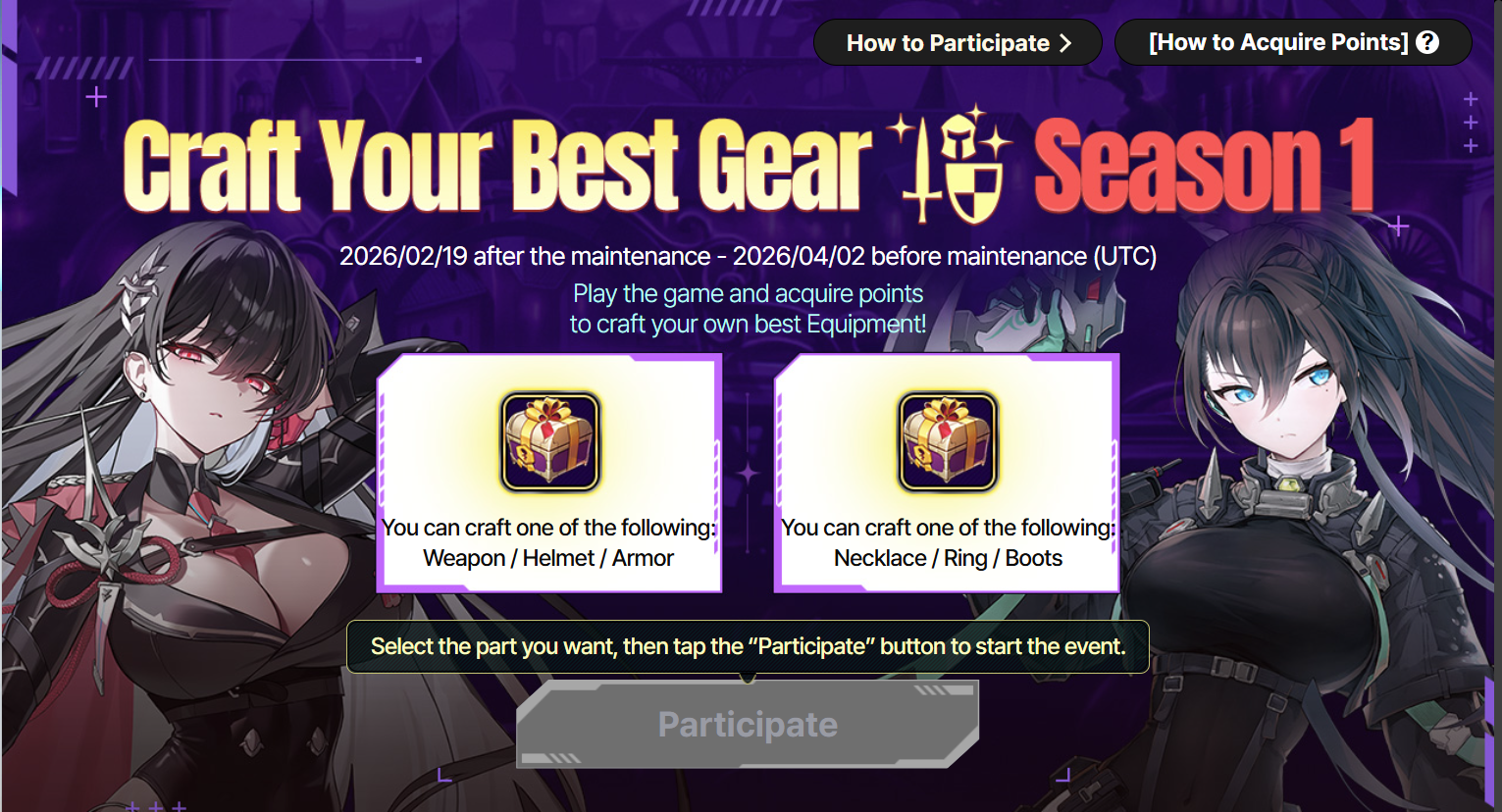
The Craft Your Best Gear Event is now underway! Now is your chance to obtain fully enhanced +15 Lv.88 Equipment!
Please see below for more details.
■ Craft Your Best Gear Event Information
1. Schedule: 2/19 (Thu) after the maintenance – 4/2 (Thu) 02:59 UTC
2. Event Period: Available from the time you tap the [Participate] button during the event period until the event ends.
- You can acquire the points only until the designated event end date (4/2), and the acquired points can be used in the Craft Your Best Gear Event and Point Shop.
- After completing Craft Your Best Gear Season 1, you can proceed to Season 2!
3. Remaining Points: After the event ends, you will have an additional 7 days to use any remaining points. (Cannot acquire more points during this period.)
4. Eligibility: All Heirs
5. How to Participate: You can enter the "Event" menu and see the "Craft Your Best Gear" Event displayed on the list.
[How to Acquire Points]
- After completing Daily Reputation missions, using Energy, or using Spectral Cores, you can acquire points for the Craft Your Best Gear Event.
Category | Points Earned |
Complete 1 Daily Reputation | 1,000pt |
Use 1 Energy | 1pt |
Use 1 Spectral Core | 160pt |
* You can earn up to 7,000 Event Points per day.
- You can start to acquire points as soon as you tap the "Participate" button, and the event will begin at that time.
(You will need to tap the "Participate" button for the event to begin and for you to start acquiring points.)
[How to Participate]
Select your desired set, part, main stat and substats for your Equipment, and collect points to enhance the substats of your Equipment.
※Note: You may interchange your selections between [Weapon], [Helmet], and [Armor] and [Necklace], [Ring], and [Boots] across Season 1 and Season 2. For example, you can select a Necklace in Season 1 and a Weapon in Season 2 or choose a Weapon in Season 1 and a Ring in Season 2.
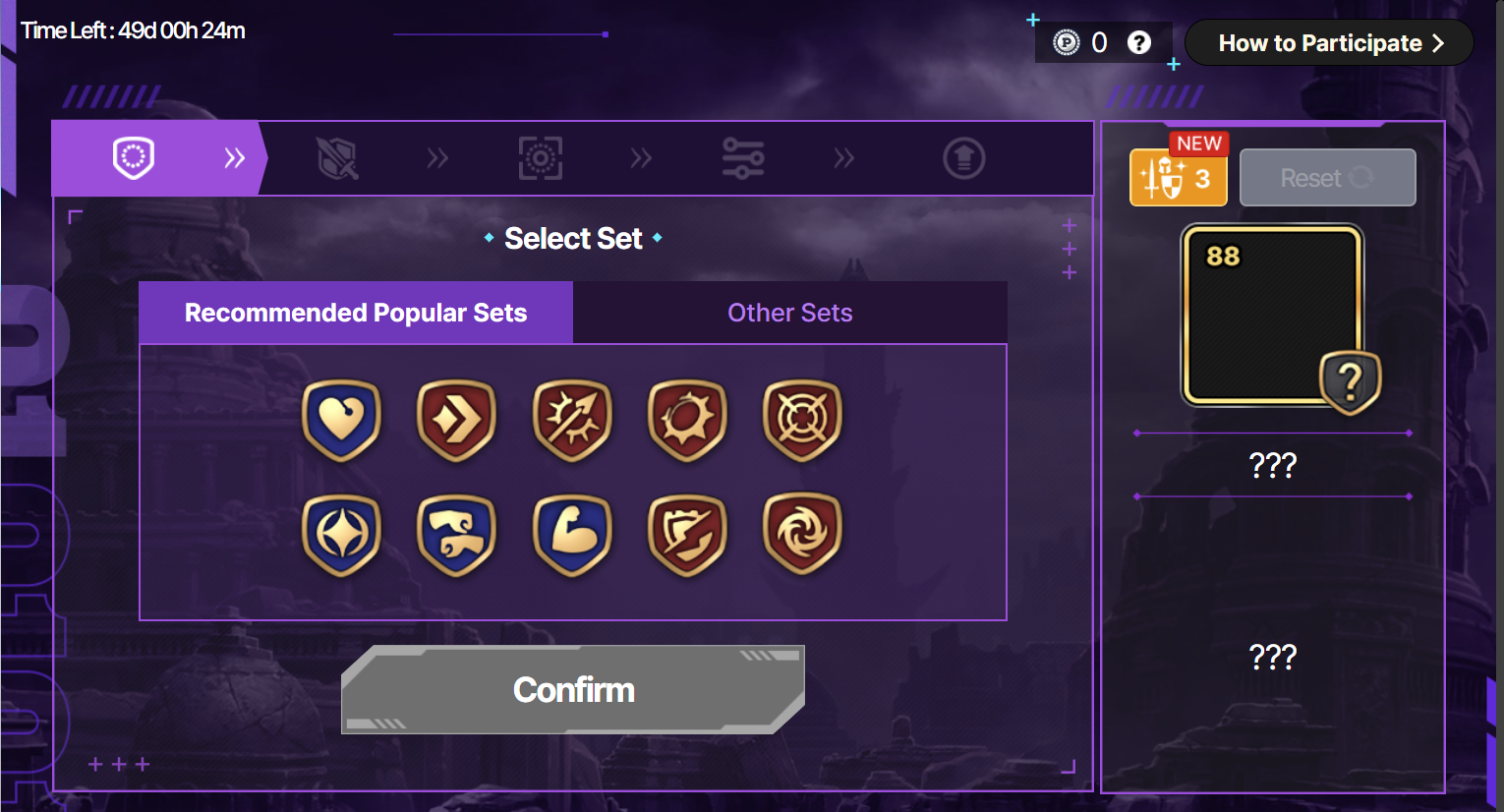
STEP 1. Select Set: Select the set you want.
- Selecting the set does not cost any points.
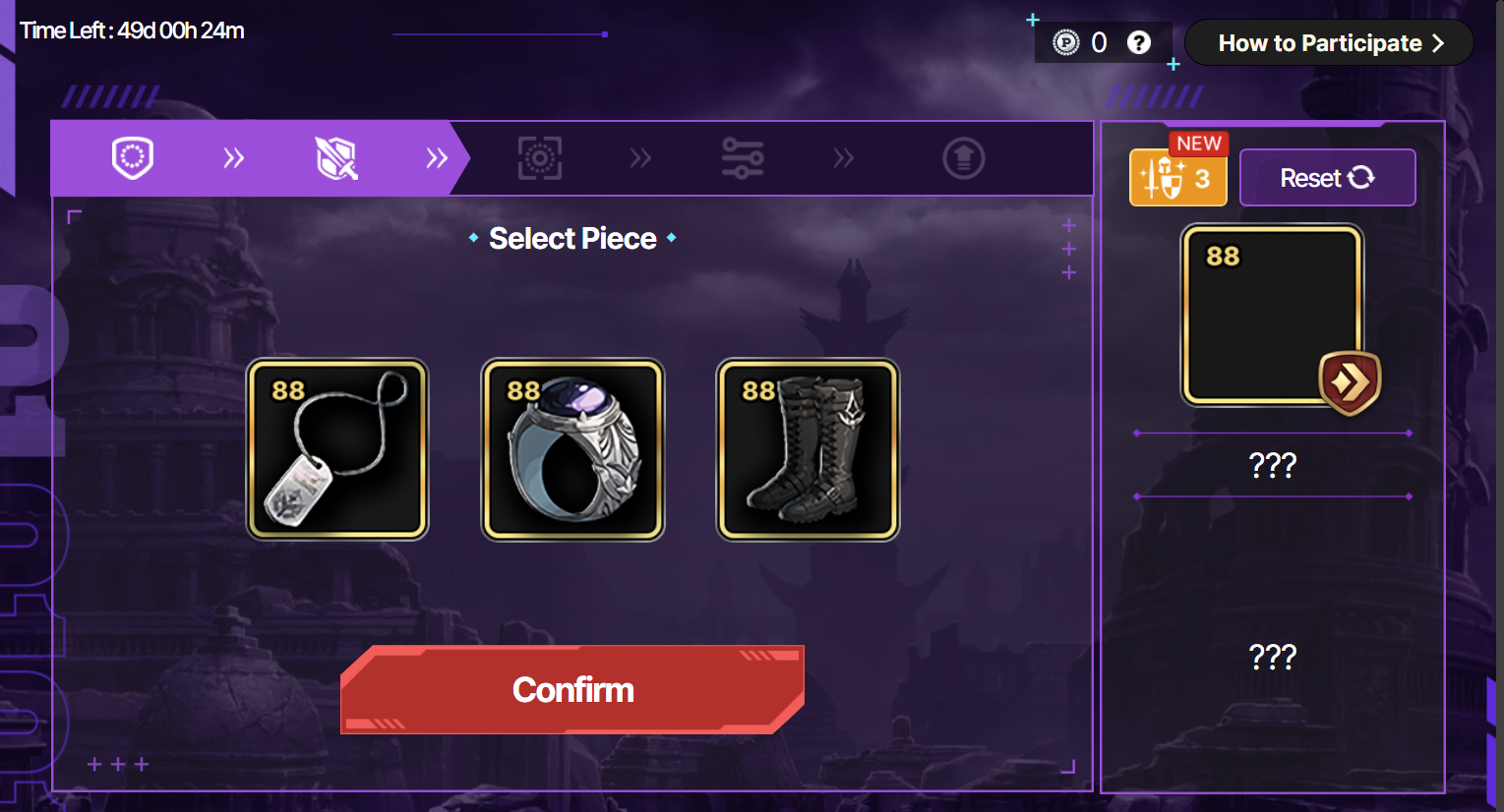
STEP 2. Select Piece: Select the piece of Equipment you want to craft among the list.
- Selecting the Equipment piece does not cost any points.
- The Main stat and substats you can choose may differ by the Equipment piece you select.
- Click the [Equipment Icon] button on the right to view the [Favorite Combinations Per Piece].
STEP 3. Select the Main Stat: Choose a main stat available for each Equipment piece.
- Selecting the main stat does not cost any points.
- Players will not be able to select a main stat for their Equipment in Craft Your Best Gear Season 1.
STEP 4. Select the Substats: You can select a total of 4 substats.
- Selecting the substats does not cost any points.
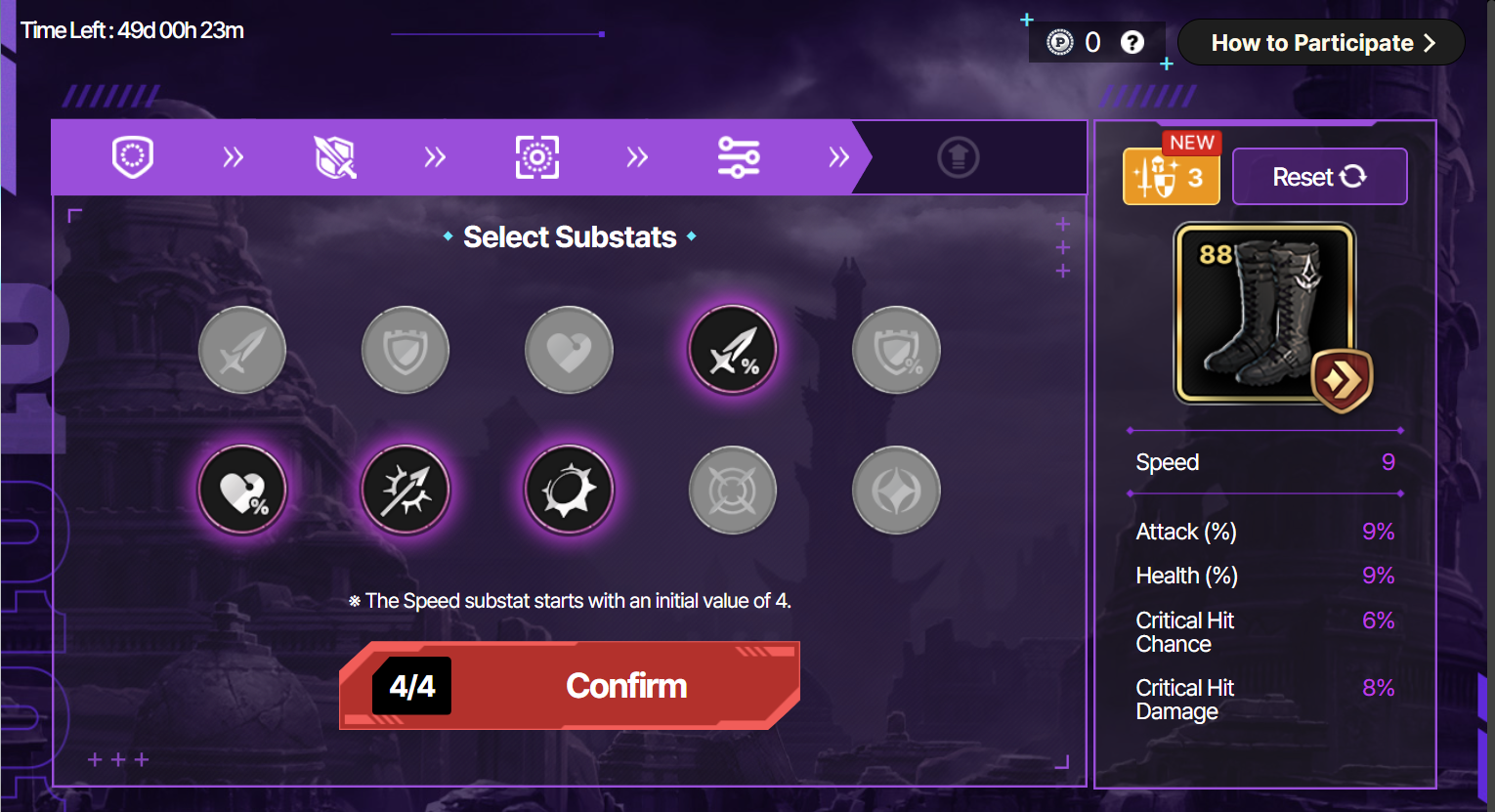
STEP 5. Equipment Enhancing: Select one of 4 substats to enhance.
- You can enhance the substat of your Equipment once per day.
- Each substat can be enhanced up to 4 times, and you can select other substats to enhance after completing enhancing the substat you selected.
* You can select the same substat up to 4 times.
- The first substat enhancement will cost 300 points at a discount, and each enhancement thereafter will cost 3,000 points.
- Substat increases by a fixed value when enhancing.
(The increasing value of the substat when enhancing differs according to the substats.)
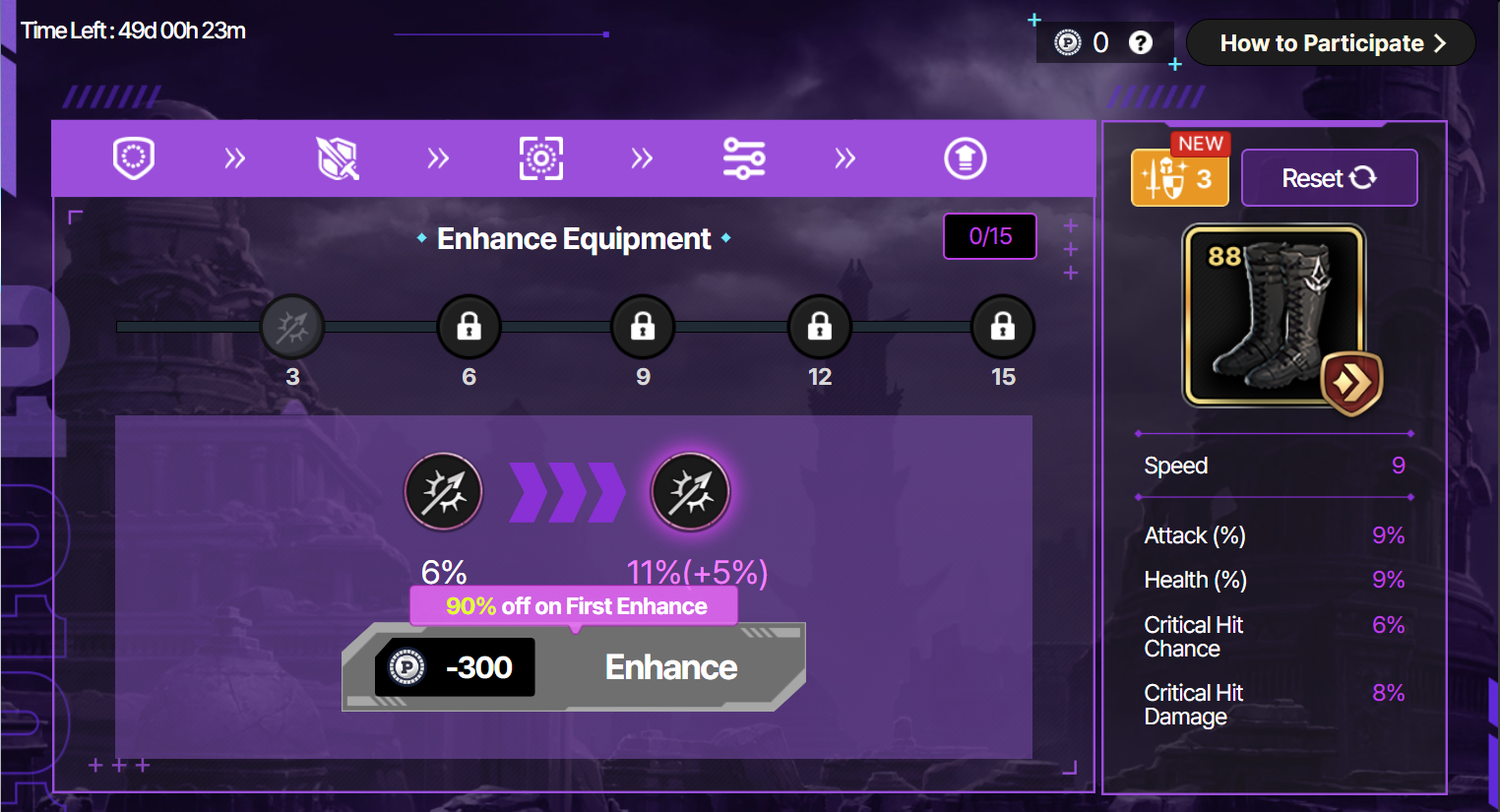
* Equipment Reset
- If your Equipment is not confirmed, you can always use points to reset the Equipment you're crafting.
- Resetting Equipment costs 2,000 points, and you can start over from the Equipment set selection stage.
- If you reset your Equipment during the enhancement stage, the number of enhancements you have already performed will not be affected by the daily limit. You can then enhance the substats again without spending any additional points.
STEP 6. Confirm Equipment: After completing enhancing the substats, tap the [Confirm Equipment] button to receive your crafted Equipment in your mailbox.
- You can only confirm +15 Equipment. (If your Equipment is below +15, you cannot confirm)
- Confirming Equipment costs 15,000 points.
- After completing Craft Your Best Gear Season 1, you can proceed to Craft Your Best Gear Season 2.
- After crafting and confirming your Equipment for both Craft Your Best Gear Season 1 and 2, the event ends regardless of the remaining event period and only the Point Shop will be available.
* After completing Season 1 and Season 2 crafting and purchasing all items in the Point Shop, the Craft Your Best Gear Event will no longer be displayed.
- If you don't confirm your Equipment, you will not receive your Equipment. Please make sure to confirm your Equipment within the event period.
[Point Shop]
- Points collected by playing in-game content can be used to craft Equipment and to purchase items in the Point Shop.
- The Point Shop will be available for seven days following the end of the Craft Your Best Gear event period.
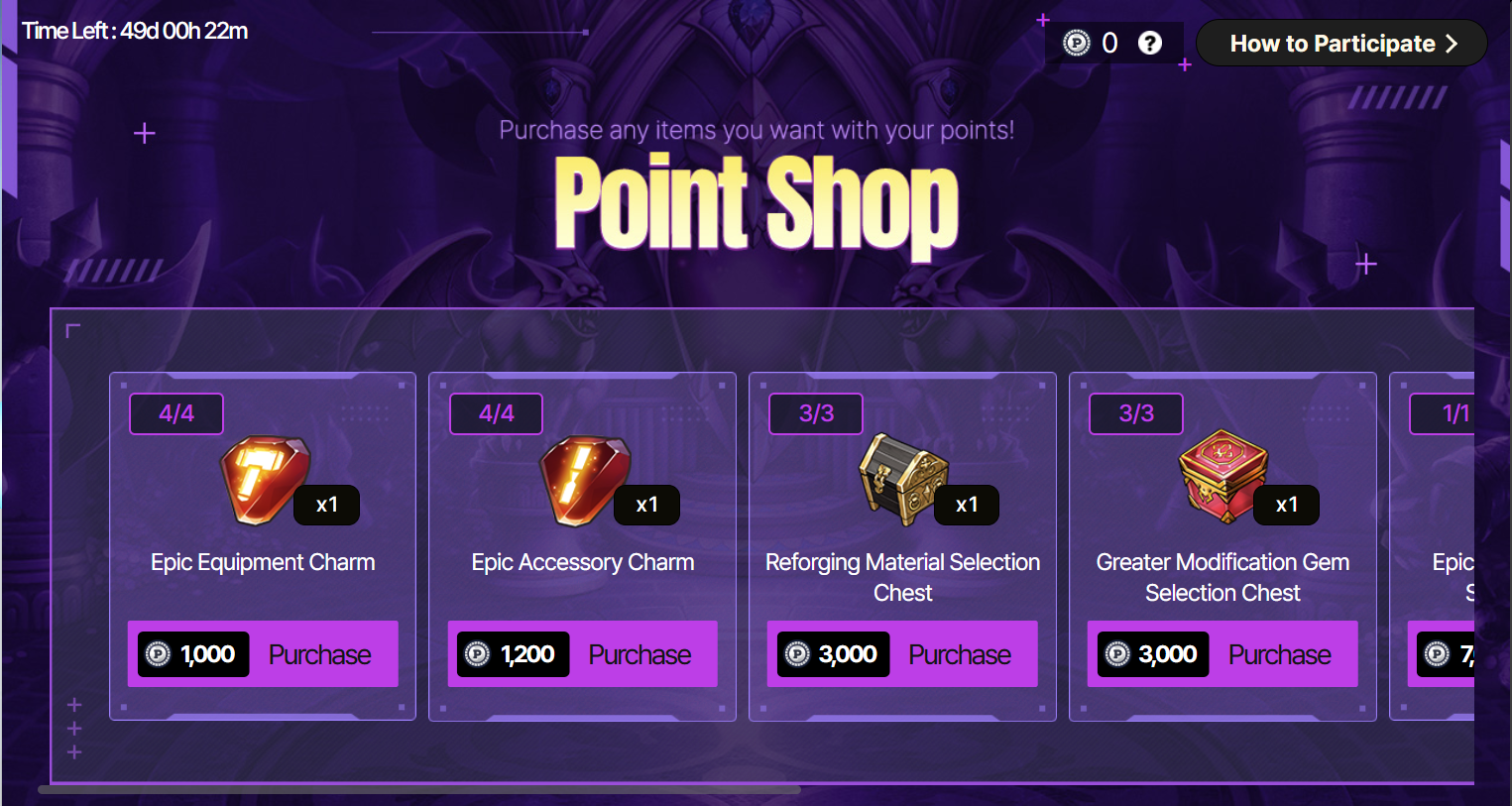
* The Point Shop will open when you tap the "Participate" button in Craft Your Best Gear Event Season 1.
* Please Note
- Event points granted from completing Daily Reputations can be obtained when you receive the Reputation rewards.
- The number of the substat enhancement for your Equipment resets daily for all servers according to each server reset time.
ㄴ Any unused daily substat enhancement counts will not be accumulated.
Server | Reset Time |
Korea/Asia/Japan | Daily at 18:00 UTC |
Europe | Daily at 03:00 UTC |
Global | Daily at 10:00 UTC |
- After confirming your Equipment, you cannot reset or change it. Please review thoroughly before proceeding.
- If the event expires after tapping the [Participate] button, the event will not be available anymore. (The remaining event period will be displayed on the upper left corner of the page.)
- Please make sure to confirm your Equipment and use your points within the event period.
- If both the event period and the remaining points period (7 days) expire, the event will longer be available. The Craft Your Best Gear and Point Shop will as well no longer be displayed on the Event list.
Thank you.